
Real-Debrid allows Stremize to retrieve high-quality cached sources for movies and TV shows. Once connected, Stremize can automatically search for available streams using community add-ons.
This guide explains how to connect your Real-Debrid account to Stremize step by step.
Open the Real-Debrid website and sign in to your account.
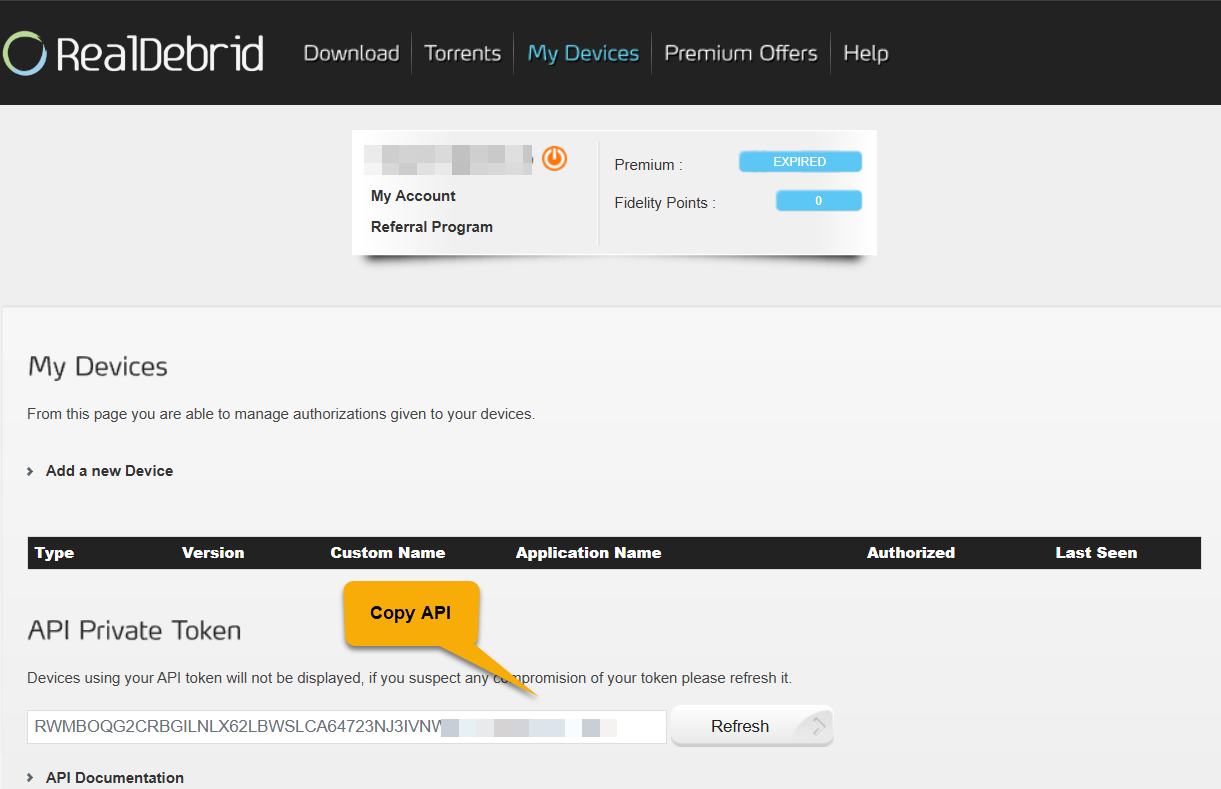
After signing in, open the Real-Debrid devices page. This page allows apps like Stremize to connect to your account.
https://real-debrid.com/devices
Locate your API token on the devices page and copy it.
Make sure you copy the entire token without extra spaces.
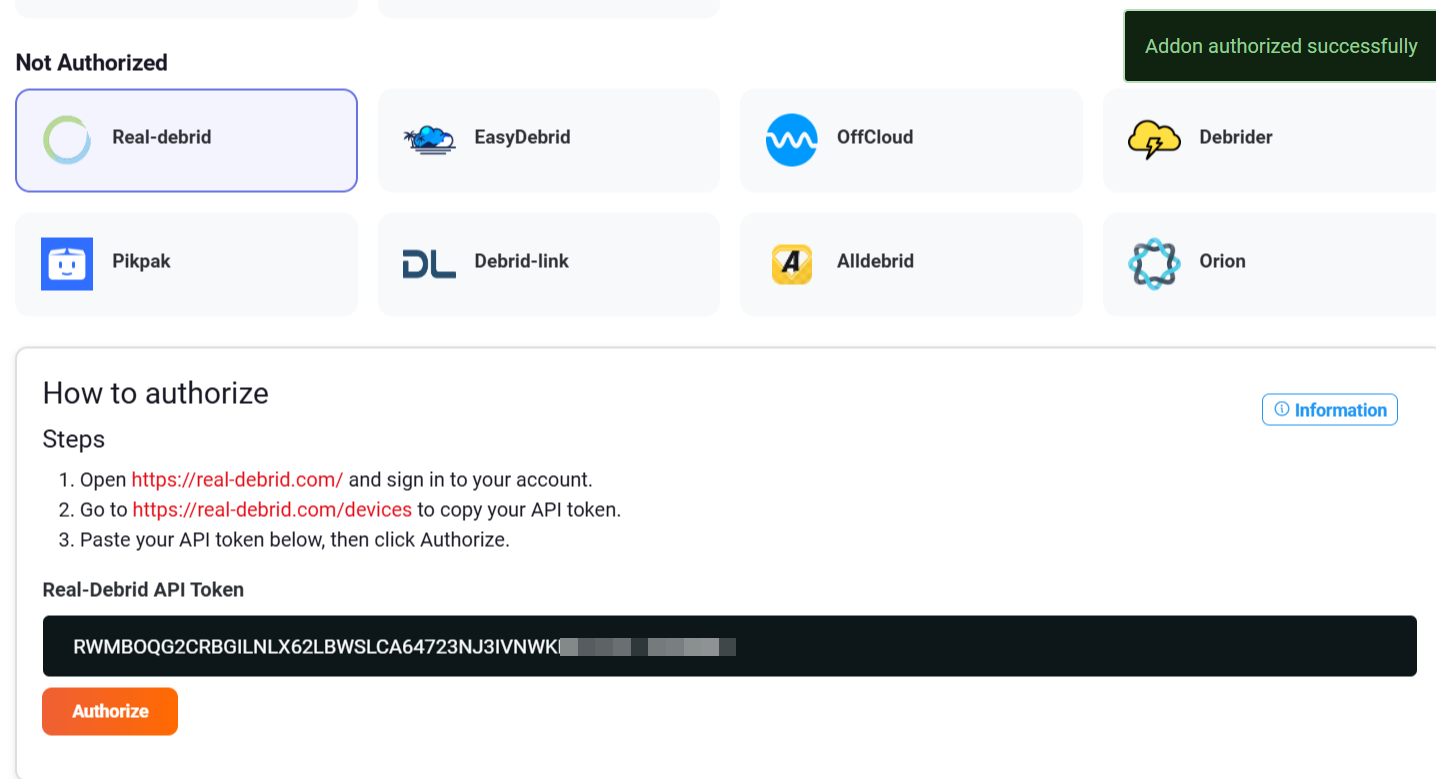
Open the Add-ons section in the Stremize Web Dashboard or in the Stremize mobile app.
Paste your Real-Debrid API token into the authorization field and click Authorize.
Once authorized successfully, Real-Debrid will appear in your Debrid services list.
Stremize can now use Real-Debrid to retrieve streaming sources.
Invalid API token
Make sure the token was copied correctly from the Real-Debrid devices page. Remove any extra spaces before pasting.
Account not active
Real-Debrid must be active to access streaming sources. Expired accounts may not return streaming links.
No streams found
Debrid services work together with community add-ons. If no sources appear, make sure at least one add-on is installed in Stremize.
After connecting your Debrid service, open the Discover section in the Stremize app and search for a movie or TV show.
Stremize will automatically retrieve available streaming sources using your connected Debrid service.